
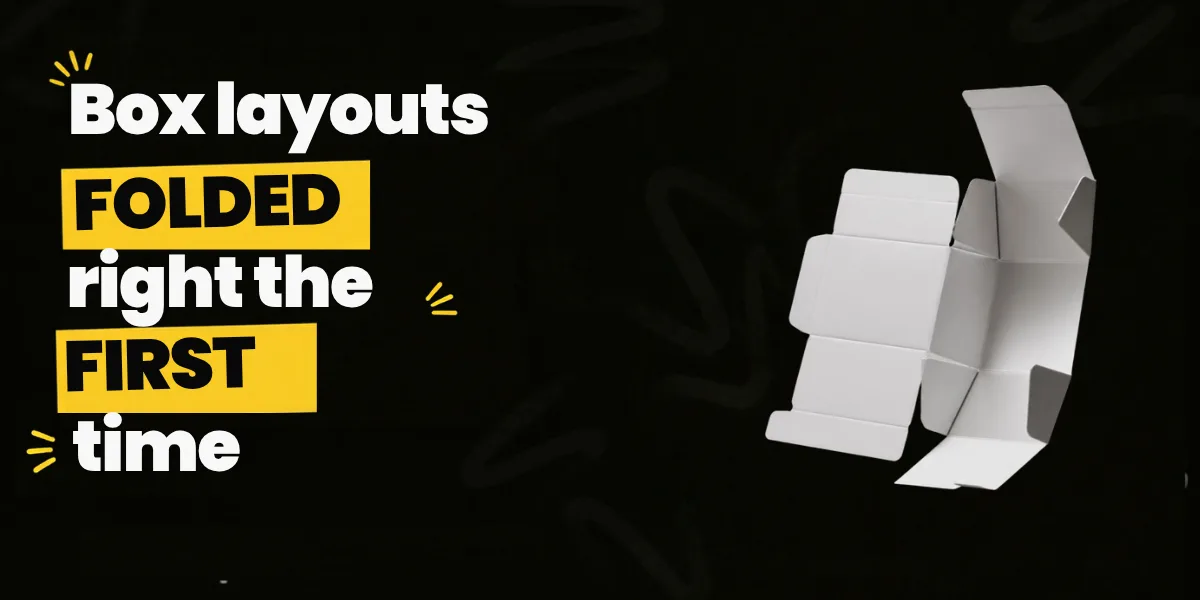
The box packaging layout for a small dry-fruit brand’s Diwali carton looked perfect on a laptop in Andheri. Deep maroon background, a gold logo, a neat line of copy running down the side. Then the first printed sample came back from the press. The brand name on the top flap was upside down. A thin white line ran along two of the edges. And the barcode sat half on the glue flap, where nobody would ever see it once the box was stuck together.
The colours were right and the font was lovely. It was a layout problem. The flat sheet that turns into a box had been treated like a poster.
This guide stays on that flat sheet: panels and flaps, the glue flap, bleed, safe zones, board grain, what goes on which face, how the sheet becomes a box, and the errors printers see every week. Picking the box style is a separate decision, covered in this guide to design for boxes.
What Is a Box Packaging Layout?

A box packaging layout is the flat, unfolded drawing of a box with the artwork placed on it: every panel, flap and fold shown on one sheet, exactly as it will be printed and cut. The structural drawing underneath is called a dieline. The layout is that dieline with the design sitting on top.
Take a medicine carton from a drawer and peel open the glued seam. Lay it flat. You get four panels side by side, flaps sticking up and down, and one narrow tab at the end. That outline is the dieline. Everything printed on it, in the right spot and the right way up, is the layout.
People mix the words up and printers mostly cope. Still, the dieline is the structure (cuts, folds, glue areas), the artwork is the graphics, and the layout is the two together in one file. A layout drawn on a guessed dieline is a gamble. Usually it’s a few millimetres out, and that’s the difference between a lid that clicks shut and one that pops open in the delivery bag.
FAQs: Box Layout Basics
Is a dieline the same as a box template?
Mostly. A template is often a generic dieline found online. A dieline from the printer is drawn for their board, their cutting die and the real size of the product, so use that one for final files.
Who makes the dieline for a custom box?
Usually the printer or carton maker. Sometimes a structural designer. The graphic designer then places the artwork on it.
Which software is used to make a box layout?
Adobe Illustrator, in most studios, because printers want vector files. Carton makers often draw the die itself in structural software such as ArtiosCAD and export it for the designer.
Does Brij Design Studio handle the full box layout or only the front design?
The full pack. Its packaging page describes the work in three stages, Concept, Structure and Print-ready, so the flat layout behind every face is part of the job, not just the hero panel.
Why Does the Flat Layout Matter So Much?
Because the printer prints exactly what’s in the file. If a panel is in the wrong place or a word sits on a fold, every box in the run carries the mistake, and fixing it can mean a new print run and sometimes a new cutting die.
A screen hides this. A 3D render hides it even better, wrapping the art around a perfect box with no glue flap, no board thickness and no knife landing half a millimetre to the left.
- Reprints. A wrong barcode or misspelt ingredient on the back is the classic reason a carton run gets scrapped.
- Board. Awkward flaps can mean fewer boxes fit on each printed sheet, every single run.
- Packing time. Boxes that fold badly slow down whoever fills them, machine or two people at a table.
There’s a quieter reason too. Shoppers turn boxes over. The side panel in the aisle, the back at home, the top flap in a pharmacy drawer. The layout decides what they find in those few seconds.
FAQs: Why Layout Matters
What happens if a box layout has a mistake after printing?
It depends on the mistake. A small typo might be lived with. A wrong barcode, wrong net quantity or a box that won’t close usually means printing again, and the cost depends on the run size, the board and the finishes. Catching it on a folded paper sample is far cheaper.
Can a 3D mock-up replace a printed sample?
No. A mock-up is great for approving the look. Only a physical sample shows how the folds, flaps and glue really behave.
Does layout matter for small print runs too?
Yes, maybe more. A small brand feels every wasted box, and short runs leave little room to absorb a bad batch.
What does Brij Design Studio look at before starting a box layout?
Its packaging process starts with a deep dive into the product, the target audience and the market positioning. The layout decisions come after that, once it’s clear what the box needs to say and to whom.
The Parts of a Box Dieline, Panel by Panel

A standard folding carton has four body panels, closing flaps at the top and bottom, small dust flaps, and one glue flap. Learn those names and most conversations with a printer get a lot easier.
1Front Panel
The face the shopper sees first. Everything else is placed relative to it.
2Back Panel
Opposite the front. Story, contents, directions, barcode.
3Side Panels
The two narrow walls. On a crowded shelf, a side panel can be the only face anyone sees.
4Tuck Flaps
They close the top and bottom. Their artwork usually has to be rotated on the flat file so it reads correctly once folded.
5Dust Flaps
Small side flaps that fold in under the tuck flap. Fine for a pattern, wasted on words.
6Glue Flap
The narrow strip glued inside to close the box into a tube. The glue area must stay free of ink and coating.
Every printer has its own line colours, so check the legend first. Usually cut lines are solid, creases are dashed or a second colour, perforations are dotted and glue areas are hatched. The dieline sits on its own layer, set not to print. Leave it switched on by mistake and the boxes arrive with thin lines drawn all over them. It happens more than anyone admits.
FAQs: Dieline Parts
What is the glue flap on a box called?
Glue flap, glue tab, seal tab or manufacturer’s joint. Different names, same narrow strip.
Which panel should the glue flap join?
Usually the back or a side panel, so the seam never shows on the front. The printer’s dieline normally settles this.
What is a reverse tuck end box?
A carton whose top and bottom flaps tuck in from opposite sides. It’s one of the most common retail carton styles. A straight tuck end has both flaps closing from the same side.
Which box formats does Brij Design Studio design for?
Its packaging page lists cartons and premium product boxes, including rigid, magnetic, sleeve, drawer and gift boxes. Each one has a different flat layout, so the format is settled early.
Bleed, Safe Zones and Grain: The Rules Nobody Sees
Bleed is extra artwork that runs past the cut line, so no white edge shows after cutting; 3 mm is the most common ask. The safe zone is a margin inside every cut and fold where words and logos must stay, so nothing important gets sliced or bent.
Bleed
Sheets shift slightly on the press and the knife can land a hair to either side. A background that stops exactly at the cut line shows a white sliver on some boxes and not others. So any colour that touches an edge goes past it. Most printers ask for 3 mm. Corrugated board can need more, and a rigid box wrap needs far more, because the paper turns over the edges.
Safe Zones
Same idea, other direction. Keep words, logos and the barcode at least 3 mm inside every cut and crease. On a tiny lip balm carton that margin eats a lot of space, so plan the copy for it early. And keep text off folds completely. A line across a crease bends, and a thin font can crack through the middle of a letter. Patterns can cross a fold. Words shouldn’t.
Grain Direction
Paperboard has a grain, like fabric, because the fibres line up as it’s made. Most carton makers run the grain across the main folds, which keeps walls straighter and creases cleaner. Get it wrong and panels can bow once the product is inside. The printer usually settles this while planning the sheet, one more reason to talk to them early.
Dark colours add a twist. A deep solid over a crease can show a thin white crack after folding, as the board’s light core peeks through. Lamination helps.
FAQs: Bleed, Safe Zones and Grain
How much bleed does a box need?
3 mm is common for folding cartons. Corrugated boxes can need more, and rigid box wraps need much more because the paper turns in over the edges. The printer’s spec always wins.
What is the difference between bleed and safe zone?
Bleed goes outwards, past the cut, for colour. The safe zone goes inwards, for text. One stops white edges, the other stops sliced words.
Why are there white lines on the folds of my printed box?
That’s usually cracking. Heavy ink sits on top of the board, and the board splits slightly as it bends. Better creasing, lamination or a board that folds well can fix it.
Does Brij Design Studio supply print-ready files with bleed and safe zones set?
Yes. Its packaging page lists print-ready artwork among what the studio hands over, and it asks for any printer-supplied dielines up front, so the printer’s own bleed and margin specs can be followed rather than guessed.
What Goes on Each Face of the Box?

Put the brand, product name, variant and one main promise on the front; the story, contents, directions and barcode on the back; and short, scannable facts on the sides. The top and the inside are bonus space, worth using when boxes get stacked or opened in front of people.
Front Panel
What it is, who makes it, which variant, and one reason to pick it. That’s enough. A front panel with nine claims ends up saying nothing.
Back Panel
The longest read: story, contents, how to use, how to store, and the barcode. GS1 UK, part of the body that runs retail barcode standards, advises the lower right of the back, and never on folds, flaps, seams or edges. On a carton that’s easy to break by accident, because that corner often sits right beside the glue flap or the bottom crease.
Side Panels
Many brands put the legal block here: net quantity, MRP, manufacturer details, customer care, plus FSSAI details on food. The exact list and type sizes depend on the category and change over time, so check with someone who handles compliance rather than copying an old pack. Also leave a blank, uncoated coding area for batch numbers and dates printed on the packing line. Forget it, and the inkjet code lands across the product photo.
Top, Bottom and Inside
In a chemist’s drawer or a kirana stack, the top flap is the front. A small logo and product name there costs nothing. Printing inside the box needs two-sided printing, so it’s usually kept for gift boxes and mailers someone opens on camera. Small side-panel type is where font choice gets tested hardest; this guide to fonts for packaging covers legibility at tiny sizes.
FAQs: Information on Each Face
Which side of a box is the principal display panel?
The face shown to shoppers on the shelf, which is usually the front. Labelling rules often refer to it, so mark it clearly on the layout.
Where should the barcode go on a carton?
On the back panel, lower right, on a flat area away from folds, flaps and edges. Keep its blank margin clear and test-scan it from a print, not a screen.
Can legal details go on the bottom of the box?
It depends on the category and the rules that apply. Check with a compliance person before moving anything important underneath, where shoppers rarely look.
How does Brij Design Studio decide what each face of a box should say?
Its process includes refining hierarchy, typography, colour and brand elements so the pack works on shelf and online. Deciding which face carries which message is a big part of that hierarchy work.
How to Build a Box Packaging Layout Step by Step
Start with the real product and the printer’s dieline, map every piece of content to a face, set up the file in separate layers, place the artwork with bleed and safe zones, then print and fold a copy before anything goes to press.
1Measure the Real Product
Inner length, width and depth, plus any insert. Measure the item, not the spec sheet. A jar’s lid is often wider than its body.
2Get the Printer’s Dieline
In vector form, drawn for the actual board. Thin carton board and corrugated board of the same outer size need different dielines.
3Make a Content Map
On plain paper, list every word, logo and code, and write which face each goes on. Before opening any design file.
4Set Up the Layers
Dieline on top, locked, not printing. Artwork underneath. Each finish, like foil or spot UV, on its own named layer.
5Place the Artwork
Backgrounds into the bleed, words inside the safe zone, flap artwork rotated to read properly once folded.
6Print, Cut and Fold
Print at 100% scale, tiled across A3 if needed. Cut, fold, tape, and read it like a shopper. It catches an upside-down flap in five minutes.
7Prepare the Final File
CMYK or agreed spot colours, photos at 300 PPI, fonts outlined, every finish noted. Then ask for a physical sample.
Step six looks like a school craft project. It’s also the step most often skipped, and the one that would have saved that dry-fruit carton.
FAQs: Building the Layout
What size should a box dieline be?
Exactly the real size. Never scale it to fit a page.
How do I make a box dieline in Illustrator?
For a simple tuck box, draw the panels as rectangles at the measured size, add the flaps and glue tab, and put cuts and creases on separate named swatches. For anything printed in volume, use the printer’s dieline instead of drawing your own.
What resolution should images be for box printing?
300 PPI at the final printed size is the usual standard for photos. Logos and text should stay as vectors.
At what stage does Brij Design Studio think about box structure?
Early. Its packaging page describes moving from structural ideas to visual execution across boxes, pouches, labels and other formats, so the structure is settled before the final artwork is placed.
How Does the Flat Sheet Become a Box?
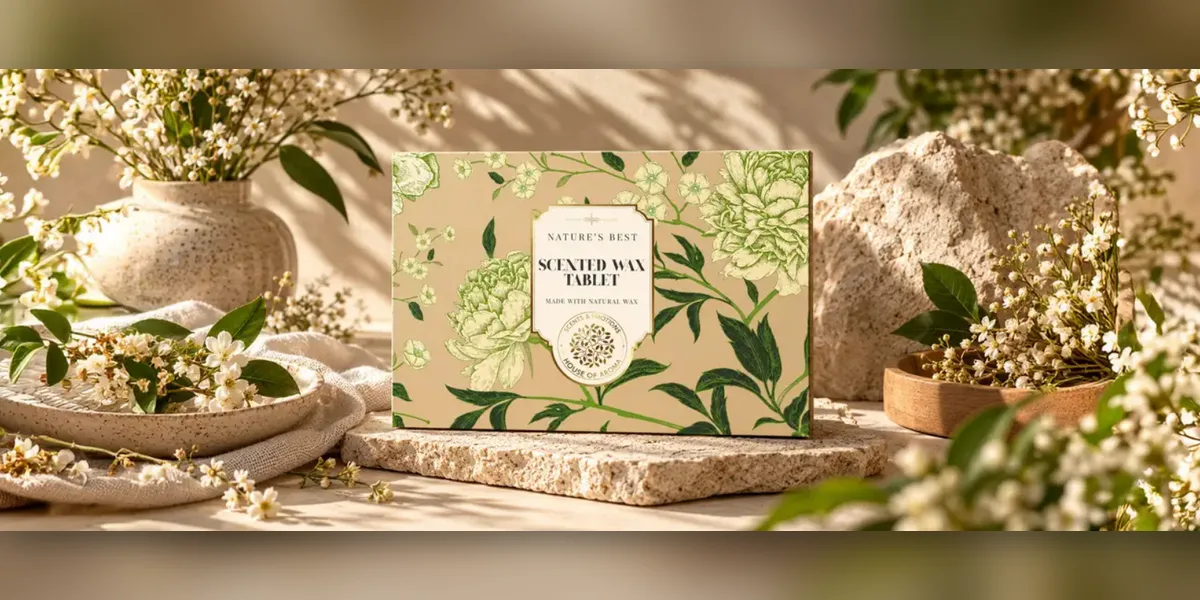
The printer prints several flat boxes on one large sheet, a die cuts and creases them in one press, and a folder-gluer folds each piece and glues the side seam. The brand receives flat, glued boxes and squares them up while packing.
Pro Carton, the European association of carton and cartonboard makers, describes the same order: design and colours, printing on sheets, creasing and cutting with a die, then folding and gluing on high-speed machines. What each stage means for the layout:
- Several boxes share one sheet, nested like puzzle pieces. That’s why a printer sometimes asks to trim a flap by a few millimetres: one more box might fit.
- Colours and varnish print first. Foil and embossing usually follow as separate steps.
- A board fitted with steel knives and blunt creasing rules, shaped like the dieline, presses into the sheet. Knives cut, rules dent the folds. This is where bleed and safe zones earn their keep.
- A folder-gluer folds each piece and sticks the glue flap to the opposite panel. Cartons reach the brand flat, glued, tied in bundles.
Rigid boxes work differently. Grey board is formed into a tray, then a printed paper wrap is glued over it and turned in at the edges. So a rigid box layout looks nothing like a carton layout, and the wrap needs a wide turn-in allowance and carefully planned corners.
FAQs: From Flat Sheet to Box
What is a cutting die made of?
Usually a wooden board with steel cutting knives and creasing rules set into it, bent to match the dieline.
Does every box size need a new die?
Yes. Each size and shape needs its own die, so lock the dimensions before approving the layout.
What is a folder-gluer?
The machine that folds cut box blanks and glues the side seam. It’s why cartons arrive flat and pop open into shape.
How does Brij Design Studio prepare box artwork for production?
Its packaging page says production coordination needs are discussed at the start of the project, and it asks for any printer-supplied dielines. For boxes, that means the artwork and the printer’s cutting and folding setup get checked together, not in separate rooms.
Common Box Layout Mistakes Printers See
The usual errors are text on a fold, artwork that stops at the cut line, ink on the glue flap, upside-down flaps, a barcode near an edge and a dieline left printing. Nearly all of them get caught by folding a printed copy by hand.
- The upside-down flap. The front reads perfectly; the top flap reads upside down on the shelf.
- Words on a crease. A tagline wrapping from front to side looks clever on screen and broken in the hand.
- Coating on the glue flap. Glue doesn’t grip lamination well, so seams pop open in transit.
- The shrunken template. Someone resized the dieline to fit A4, and now the product doesn’t go in.
- RGB files. Bright on a laptop, dull on press.
- Half-updated copy. New net weight on the back, old one still on the side.
Printers catch some of these. Many slip through, because the printer prints what was approved, and the signature sits with the brand. Wider slips, like a weak brief, are in this list of packaging design mistakes.
FAQs: Layout Mistakes
Why is my box showing white edges after printing?
The artwork didn’t run into the bleed, or the bleed was too small for how much the sheets shifted on the press.
Why won’t my printed boxes stay glued?
Often there’s ink, varnish or lamination where the glue goes. Ask for a bare patch of board on the glue flap. Printers call it a knock-out.
Will the printer spot errors in my box layout?
Some. Pre-press teams flag technical issues like missing bleed, low resolution or wrong colour mode. They rarely check spelling, legal copy or which way a flap reads.
How does Brij Design Studio help brands catch layout errors before printing?
Along with print-ready artwork, the studio makes realistic 3D mock-ups, which lets a brand see the box as a folded object rather than a flat file before anything goes to press.
Questions to Ask Before Sending a Box Layout to Print
Before approving, check that the dieline is the printer’s latest, that everything respects bleed and safe zones, that each face is in the right order and the right way up, and that someone has folded a real copy.
- Is this the printer’s current dieline for this exact board?
- Has the product been tried inside a folded sample, insert and all?
- Does every flap read the right way up, standing and lying flat?
- Is the glue area free of ink and coating?
- Has the barcode been scanned from a print, not a screen?
- Do the legal details match the latest formula on every panel?
- Are foil and spot UV on their own named layers?
- Has someone who didn’t design it read every panel out loud?
That last one sounds silly. It isn’t. Fresh eyes catch the typo the designer has looked past forty times.
FAQs: Pre-Press Checklist
What is a print proof for packaging?
A version of the layout sent for sign-off before the run. A PDF proof checks content. A physical or press proof checks colour and fit.
Should I approve a digital proof or a physical sample?
Both, if there’s time. The PDF for words and placement, the sample for fit, folds and colour.
Who is responsible for errors on approved packaging artwork?
Usually whoever signed the approval. Printers print what’s approved, which is why the checklist matters so much.
Can Brij Design Studio show examples of its box packaging projects?
Yes. Its case study page includes luxury packaging, confectionery packaging and branding and packaging work for food and healthy snack brands.
Designer, Printer or DIY Template: Who Should Make the Layout?
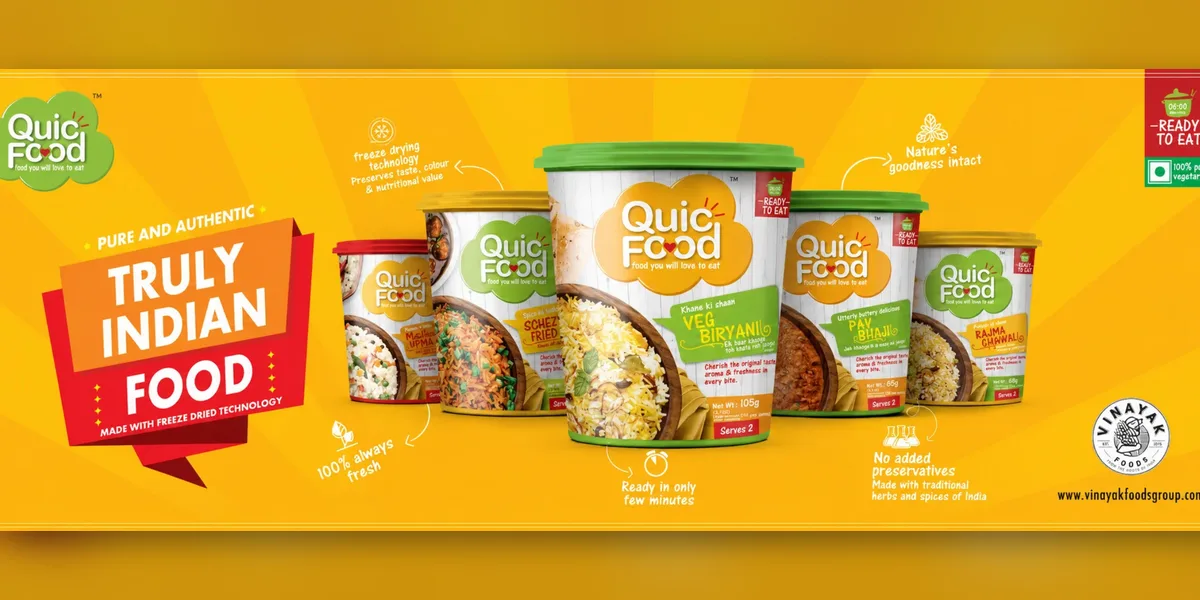
A packaging designer gives the best result when the box carries the brand; a printer’s in-house team is fine for simple, repeat boxes; and a free template works for a first test batch but is risky for a large run.
A Packaging Designer or Studio
Brings brand thinking and the order of information across faces, and knows to ask for the printer’s dieline first. Best when the box does the selling: retail cartons, gift boxes, launches. The trade-off is time. A good studio asks a lot of questions first.
The Printer’s In-House Team
Knows the machines and board better than anyone. Quick, practical, weaker on brand and hierarchy, and likely to lay out exactly what’s sent, typos included. Fine for shipper cartons and plain repeat jobs.
A DIY Template
Good enough for a prototype or a weekend market stall. The risk is the gap between a generic template and the printer’s real die.
For most growing brands the honest answer is a mix: a designer owns the layout and works on the printer’s dieline with their pre-press team. That handover is a topic of its own, covered in design and packaging.
FAQs: Who Makes the Layout
Can I design my own box layout in Canva?
For a quick prototype, yes. For a production run, printers usually want a vector file built on their own dieline, and a Canva template may not match their die.
Do printers provide dielines?
Most do, for their standard styles and for custom sizes once the dimensions are fixed. Ask before design starts, not after.
Is a structural designer different from a packaging designer?
Often. A structural designer works out the shape, locks and inserts. A packaging graphic designer handles the artwork and the layout on top. Some teams do both.
Why might a brand pick Brij Design Studio over a printer’s in-house team for box artwork?
The studio works on branding, packaging, websites and digital marketing, so a box gets designed as part of the brand, not as a standalone print job. It still hands over print-ready artwork prepared to production requirements.
Where Box Layouts Are Heading
Short digital print runs, printing inside the box, scannable codes and on-screen 3D previews are changing how box layouts get planned. The basics of panels, bleed and folds stay exactly the same.
- More variants on one die. Digital printing makes small runs practical: more flavours, festive editions, city versions, each a separate layout on the same die. A master layout with fixed zones for the changing parts saves hours.
- Codes that do more. QR codes for recipes, warranty or refills follow barcode rules: flat area, no folds, scan-tested from print.
- The inside lid. Mailers get opened on camera, so the inside is now planned artwork, with its own proof.
- Less ink. Bare kraft with one colour means placement and typography carry everything. More in this guide to sustainable packaging design.
And 3D previews keep improving. Useful, genuinely. Still not a replacement for folding paper.
FAQs: The Future of Box Layouts
Is digital printing good for small box runs?
Often, yes. It needs no printing plates, so small runs and many variants become practical. For very large runs, offset usually still makes more sense.
Should a QR code go on the front or back of a box?
Usually the back or a side, unless the code is the main point of the pack. Keep it on a flat area and test it from print.
Can one dieline be used for several product variants?
Yes, and it’s a smart way to work. Keep the structure identical and change only the artwork for each variant.
Can Brij Design Studio design one box system for several product variants?
Yes. Its case study page notes that packaging systems can be developed for multiple product variants, so a range can share one structure while each variant keeps its own identity.
Why Choose Brij Design Studio for Box Packaging Design?
Brij Design Studio is a design studio in Mumbai working on branding, packaging design, website design and digital marketing. Its packaging design page sets out a “concept to print” process in three stages: Concept, Structure and Print-ready.
The work starts with a deep dive into the product, the audience and the market position. Concepts come next, mixing brand strategy, visual communication and an understanding of the category. Then the studio moves from structural ideas to visual execution across boxes, pouches, labels and other formats, refining hierarchy, typography and colour so the pack works on the shelf and online.
At Brij Design Studio, the handover is print-ready artwork plus realistic 3D mock-ups, and production needs are discussed at the start of the project. For a box, that’s the bit that matters most: the flat layout and the folded box get checked as one thing. Past work is on the case studies page, and brands can reach the team through the Mumbai design studio contact page.
Conclusion
A box starts life as a flat sheet. Every decision on that sheet, from 3 mm of bleed to the direction of the grain to the corner where the barcode sits, shows up later in someone’s hand, in a shop, under a tube light.
Get the printer’s dieline first. Map every word to a face. Keep text off the folds and ink off the glue flap. Then print it, cut it and fold it on a desk before anyone signs anything.
A box forgives a lot. It doesn’t forgive a file nobody folded.
Common FAQs About Box Packaging Layout
What is the difference between a dieline and a mock-up?
A dieline is the flat technical drawing used for cutting and folding. A mock-up is a picture or sample of the finished, folded box, used to judge how it looks.
How long does it take to make a box packaging layout?
It depends on the number of variants and rounds of changes. Once the dieline and final content are in hand, a single carton can come together quickly. Waiting for approved content is usually what takes longest.
What file format should a box layout be sent in?
Usually a layered Illustrator file or a print-ready PDF, in vector form, with the dieline on its own layer. Ask the printer which they prefer.
What board thickness is used for product boxes?
It depends on the product’s weight and how it travels. Light retail items usually go in folding carton board, while heavy or shipped products need corrugated board. The printer can suggest a grade once they know the product.
Can the inside of a box be printed?
Yes. It needs two-sided printing, with the inside artwork on its own layer and mirrored correctly.
What is a knock-out area on packaging?
A patch left free of ink or coating on purpose, such as the glue area on the glue flap or a coding area for batch numbers.
Why does my box not close properly?
Most often the dieline wasn’t drawn for the real board thickness, the template was scaled, or the product was measured wrong. A plain sample on the real board catches all three.
What is a white sample or blank dummy box?
An unprinted box made from the real board, cut to the real dieline. It’s used to check fit and closing before any printing happens.
Where is Brij Design Studio based, and what does it do?
It’s a design studio in Mumbai working on branding, packaging design, website design and digital marketing. Brands can reach it through the contact page on its website.
Does Brij Design Studio design pouches and labels as well as boxes?
Yes. Besides boxes and cartons, its packaging page lists stand-up, flat, zipper and spout pouches, along with labels, sleeves, jars and bottles.


