
Website development usually gets attention only when something breaks. A spice exporter in Navi Mumbai opens his own site on a Monday morning and finds a casino page where his product list should be. A plugin nobody had updated in three years let someone in over the weekend. The developer who built the site has moved to Pune and stopped answering calls, and nobody in the office knows the hosting password.
None of that is a design problem. The site looked fine on launch day. What went wrong sat underneath it: the platform, the hosting, the updates, who held the logins, and what was written down when the project began.
This guide explains that hidden layer in plain words: the stages, the platform choice, hosting and security, speed, integrations, and how to brief a developer. WordPress alone runs about 39.6% of all websites, according to W3Techs’ October 2026 survey of content management systems, so much of this will feel familiar once the jargon is gone.
Which pages a company site needs is covered in the guide to the business website, and the front page in website homepage design. This one is about how the site gets built and kept alive.
What Is Website Development, and What Does It Cover?

Website development is the work of turning a planned, designed site into a working one: setting up the platform, writing or configuring the code, connecting forms and payments, putting it on a server and keeping it running. Design decides how a site looks and how people move through it. Development makes it actually do those things.
Developers split the work in two. The front end is everything a visitor sees and taps. The back end is the part nobody sees: the server, the database of products or enquiries, the admin panel. Someone who handles both is a full-stack developer.
For an owner, it’s more useful to picture four layers:
- The domain: the name people type, such as yourbrand.in. It’s rented year by year, and it should be registered in the company’s name.
- Hosting: a computer in a data centre somewhere that stores the site and sends it to every visitor.
- The platform, or CMS (content management system): the software the site runs on, like WordPress or Shopify, which lets staff edit pages without touching code.
- The theme, plugins and any custom code: the parts that give the site its layout and its extra features.
A fault in any layer shows up the same way: “the website is down”. Knowing which is which makes it far easier to ring the right person.
Is Website Development the Same as Web Design?
No, though many studios do both. Design is the plan and the look. Development is the build. When different people do them, they need to talk every week, or the finished site drifts from the approved design one small compromise at a time.
FAQs: Website Development Basics
What does a website developer actually do?
A developer turns approved designs into a working site. That means setting up the platform, building the pages, connecting forms, payments and analytics, testing on phones and browsers, and putting it live. Many also handle updates after launch.
What are the three types of web development?
Front-end, back-end and full-stack. The front end is what visitors see, the back end is the server and database, and full-stack covers both.
Do I need to learn coding to run my own website?
No. On WordPress or Shopify, staff can change text, swap pictures and add products from an admin panel. Code only comes in for new features or layout changes.
What kind of website development does Brij Design Studio do?
Its website design page lists WordPress websites, ecommerce websites and product pages, responsive design that adapts to different screens, and HTML coding, all alongside the design work itself.
Why the Development Side Matters More Than Owners Think
Development decides whether a site keeps working for years or starts coming apart within months. Two sites can look identical in a screenshot and behave completely differently once real customers, real traffic and real updates arrive.
Think about an ordinary Tuesday. The sales manager should be able to change a phone number without calling anyone. An enquiry should land in an inbox someone reads. The site should load quickly on a mid-range Android phone on patchy 4G in a crowded Kalyan local. That’s development, not decoration.
It also sets the long-term cost. A site on a common platform with well-known plugins can be handed to a new developer without fuss. One built on a single person’s private framework ties the business to that person for good. Nobody notices on launch day. Everybody notices the first time something needs fixing.
And search engines notice. Google reads the code, not the mood board. Clean page structure, proper titles, fast loading and a mobile layout that doesn’t jump about all affect how a site is found, which is why development and an SEO marketing strategy should be planned together rather than one after the other.
FAQs: Why Development Matters
Can a good-looking website still lose customers?
Yes, and quietly. Slow pages, broken forms or a checkout that fails on phones push people away. The owner just sees fewer enquiries, never the reason.
Does website development affect SEO?
A great deal. Page speed, the mobile layout, headings, page titles, clean web addresses and the sitemap file are all set during the build. Content and links matter too, but they sit on top of that foundation.
Is a website a one-time expense?
Not really. The build is a one-off project, but domain renewal, hosting, licences, updates and small changes come round every year. Plan for them from the start.
How does Brij Design Studio balance looks and function in a website?
Its website design page describes three ideas behind its work: creative (design that solves a problem first), UI driven (clean layouts, sharp type and motion) and UX driven (every click planned so visitors find what they need and act on it).
What Are the Stages of Website Development?
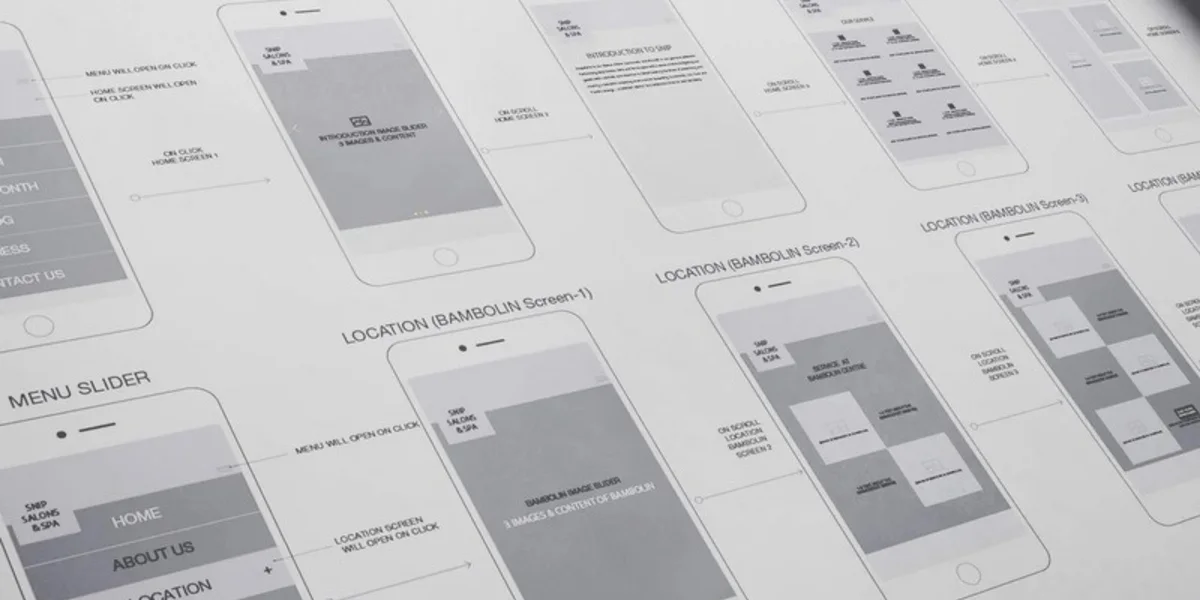
Most projects move through seven stages: planning, sitemap and wireframes, visual design, the build, content, testing and launch. Teams name them differently, but skipping one nearly always costs more time later than it saves now.
1Planning and Goals
Agree what the site is for: enquiries, online sales, dealer sign-ups or hiring. Pick one main goal and a couple of smaller ones. Decide who approves the work, because a site waiting on five people’s comments never launches.
2Sitemap and Wireframes
The sitemap is the list of pages and how they link. Wireframes are plain grey sketches showing what goes where on each page type. Moving a box on a wireframe takes minutes. Moving it after the build takes days.
3Visual Design
Colours, fonts, photos and buttons go onto the wireframes, usually the homepage and one or two inner pages first. The brand’s existing identity should drive this, not a trend someone spotted last week.
4The Build
The platform is set up, the theme or custom code is written, and features like forms, search, filters or a cart are connected. This is where the choice between WordPress, Shopify and custom code really starts to matter.
5Content
Final text, photos, product details and legal pages go in. This is the stage that delays most launches, because the owner is busy running the business. Start writing during stage 2, not stage 5.
6Testing
Every page is checked on real phones and browsers, every form is sent, and every payment is tried with a test card. Someone who didn’t build the site should test it too.
7Launch and Handover
The site goes live on the real domain, old page addresses are redirected to new ones, and analytics is checked. The owner receives every login, a backup and a short note on how to edit pages.
At Brij Design Studio, the website design page puts the sitemap first: the studio says it plans the sitemap carefully so navigation stays easy and visitors get a good experience. It’s the cheapest moment in the whole project to fix a muddled structure, and the one most often rushed.
FAQs: Stages of Development
Which stage of website development takes the longest?
Usually content, then testing. On a small site the code is rarely the hold-up. Waiting for product photos and approved text is.
What is a wireframe, and does a small site need one?
A wireframe is a plain layout sketch with no colours or images. Even a five-page site benefits, because it settles what goes on each page before anyone starts arguing about colours.
What is a staging site?
A private copy of the website where changes are built and tested before they go live. Any careful developer uses one. Editing a live site directly is how weekend outages happen.
Where does Brij Design Studio start a website project?
With the sitemap. Its website design page says it plans the sitemap carefully for easy navigation and a good visitor experience, before the visual design and build begin.
WordPress, Shopify or Custom Code: Which Should a Business Choose?
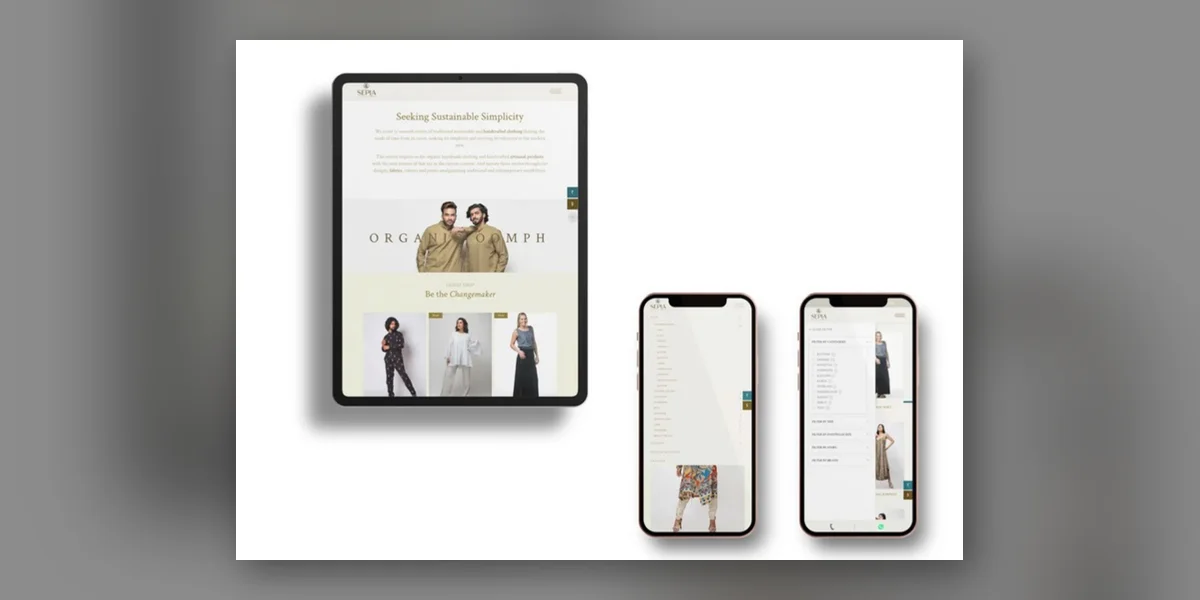
For most service businesses WordPress is the safe default. For a brand selling products online with a small team, Shopify is often simpler. Custom code makes sense only when the business needs something neither can do well. The longer answer depends on what the site has to do every single day.
WordPress
WordPress is free, open-source software that can run almost anything: company sites, blogs, catalogues, and online stores through an add-on called WooCommerce. It’s flexible, and developers who know it are easy to find in every Indian city, so the business is never stuck with one person.
The catch is upkeep. WordPress, its theme and its plugins all need regular updates, and someone has to choose decent hosting and keep backups. Left alone, it gets slow and easy to break into. Looked after, it lasts for years.
Shopify
Shopify is a paid, hosted platform built for selling. Hosting, security patches and the checkout are handled by Shopify itself, which takes a lot of worry off a small direct-to-consumer team. Payment gateways, courier tools and GST invoice apps plug in through its app store.
The trade-offs are a monthly subscription, apps that each charge their own fees, and less freedom for anything that isn’t a shop. A pure services firm, such as a consultancy or a clinic, rarely needs it.
Drag-and-Drop Builders
All-in-one builders let an owner assemble a site from templates over a weekend. Fine for a first step. They pinch later, when the business wants custom features or wants to move the site, since most won’t let it leave.
When Does Custom Development Make Sense?
Custom development, meaning a site written largely from scratch, makes sense when the website is really a piece of software. A dealer portal where distributors log in to see their own price lists. A booking system tied to a factory’s production calendar. A product configurator with thousands of combinations.
For a company site or a normal store, custom code usually means paying to rebuild what WordPress or Shopify already do well, then depending on one team indefinitely. Ask any developer who suggests it: “What can’t WordPress or Shopify do for this?” A good one has a specific answer. A vague one is a warning sign.
FAQs: Choosing a Platform
Is Shopify better than WordPress for an online store?
For a small team that wants to sell without managing servers, often yes. For a store that’s also a large content site, or that needs unusual features, WooCommerce on WordPress gives more control. Neither is better in every case.
What is a headless CMS?
A setup where the content system and the visible website are separate pieces joined by code. It can be very fast and flexible, but nearly every change needs a developer. Most small businesses don’t need one.
Can a website move from one platform to another later?
Yes, but it’s a project of its own. Content, products, customer data and old page addresses all have to be moved and redirected. Choosing well at the start costs less than migrating later.
Does Brij Design Studio build ecommerce websites as well as company sites?
Yes. Its website design page lists WordPress websites, ecommerce websites and ecommerce product page design among its work, built to adapt to different screen sizes.
Hosting, Speed and Security: What Sits Under the Site
Hosting decides how fast and how reliably a site opens. Security decides whether it stays in the owner’s hands. Both get chosen during development, and both are much harder to fix once the site is live.
Choosing Hosting
Cheap shared hosting puts hundreds of sites on one server: fine for a tiny site, but one busy neighbour slows everybody. Managed WordPress hosting or a small cloud server costs more and is usually quicker, with better support when something breaks at 11 at night. For Indian visitors, pick servers in or near India, or a content delivery network (CDN) that serves pages from close by. Shopify stores skip this choice, since hosting comes with the subscription.
Speed Is Decided During the Build
Speed comes mostly from build choices: a lean theme, compressed images, few plugins, caching, and not loading six tracking scripts on every page. Google’s web.dev guidance on page experience signals says the main content should appear within 2.5 seconds, a tap should get a response within 200 milliseconds, and the layout shouldn’t jump about (a layout shift score of 0.1 or less). Ask to see those numbers for the mobile version before launch, not a speedy test on the office Wi-Fi.
The Security Basics Every Site Needs
- An SSL certificate, so the address starts with https and browsers don’t warn visitors off.
- Automatic daily backups, stored somewhere other than the same server.
- Monthly updates to the platform, theme and plugins, tried on the staging copy first.
- Strong passwords and two-step login on every admin account. No shared “admin123”.
- Themes and plugins bought from their real makers. Pirated “nulled” copies of paid themes often carry hidden malware.
- A firewall or security plugin, and spam protection on every form.
None of this is exotic. When a small site gets hacked, the cause is usually one of the dull items on that list, not a clever attack.
FAQs: Hosting, Speed and Security
What is the difference between a domain and hosting?
The domain is the address. Hosting is the space where the site lives. They can come from different companies, and both should be in the business’s name.
How often should a website be backed up?
Daily for a store or any site that collects enquiries, and at least weekly for a site that rarely changes. Keep copies away from the main server, and try restoring one now and then to be sure it works.
What should I do if my website gets hacked?
Change every password first. Then restore from a clean backup, update everything, and find out how they got in so it doesn’t happen again. With no clean backup, bring in a security specialist rather than guessing.
How does Brij Design Studio keep a new website easy for the owner to run?
It builds on WordPress, which its website design page describes as striking a balance between form and function, and it plans a clear sitemap before anything is built. Hosting and upkeep are best agreed at the start of any project, since every business needs something a little different.
Forms, Payments and Integrations: Connecting the Site to the Business
Integrations turn a website from a digital brochure into part of daily operations. They join the site to the inbox, the phone, the payment gateway, the stock list and the sales team’s lead sheet.
The usual ones for an Indian business look like this:
- Enquiry forms that email the right person and also save every lead somewhere safe, like a spreadsheet or a CRM, so nothing lives in one person’s inbox.
- A WhatsApp button that opens a chat with a pre-filled message saying which page the visitor was on.
- A payment gateway that takes UPI, cards and net banking, with test payments run before launch.
- Inventory or accounting software, so stock on the site matches stock in the godown.
- Google Analytics and Google Search Console, so the owner can see where visitors come from and what they do.
Every integration is one more thing that can break when either side updates. That’s no reason to avoid them, but it is a reason to keep a written list of what’s connected to what, with each login, and to test the important ones monthly. The day a gateway changes a setting and orders quietly stop, somebody will be glad that list exists.
Privacy and Consent
A form that asks for names, numbers or emails collects personal data, and India’s Digital Personal Data Protection Act expects businesses to say why and to keep it safe. Publish a clear privacy policy and ask only for what’s needed.
FAQs: Forms and Integrations
Why am I not receiving emails from my website contact form?
Usually because the site sends mail straight from the server, and inboxes treat it as spam. Setting up proper SMTP email sending, and saving every form entry in the site’s database as a backup, fixes most cases.
Can a website sync stock with accounting or inventory software?
Often, yes. It depends on whether the software offers a way to connect, called an API, or a ready-made connector. Ask about this before choosing either the platform or the software.
Which payment options should an Indian online store offer?
UPI first, then cards and net banking. Many shoppers still expect cash on delivery in some categories, though some brands limit it to cut down on returns.
Can Brij Design Studio connect Google Analytics to a new website?
Yes. Its website design page says it integrates Google Analytics to give businesses insight into how visitors behave on the site.
How Should a Business Brief a Website Developer?
A good brief tells the developer what the site must do, for whom, by when, and what’s already decided. One or two honest pages beat a twenty-slide deck. Most website development arguments trace back to something that was “obvious” to the owner and never written down.
What to Put in the Brief
- The one main job of the site, and how success will be judged six months after launch.
- Who the visitors are and which device they mostly use. For most Indian audiences, that’s a phone.
- Every feature needed at launch, plus a separate list marked “later”.
- What already exists: logo files, brand guidelines, photos, the current site and its logins.
- Two or three sites the owner likes, with a line on exactly what they like about each.
- Who writes the content and who signs off each stage.
- A real deadline and the reason behind it, such as a trade fair or a festive sale.
Questions to Ask Before Signing
- “Which platform will you use, and why that one for this site?”
- “Will the domain, hosting and every admin login be in my company’s name?”
- “Do I own the code and design files once the work is paid for?”
- “Are the theme and plugins licensed, and who renews those licences?”
- “How many rounds of changes are included at each stage?”
- “Which phones and browsers will you test on?”
- “For how long after launch will you fix bugs?”
- “Can I see two live sites you built more than a year ago?”
The last question is the telling one. A site that still loads quickly a year after launch says more about a developer than any shiny new portfolio piece.
If the brand itself is unsettled, with no fixed logo, colours or tone, sort that out first through proper branding design. Otherwise half the site gets built twice.
FAQs: Briefing a Developer
What does a web developer need from a client?
Logins for the current domain and hosting, brand files, the content or a clear plan for who writes it, photos, and quick decisions. Slow feedback stalls more projects than slow coding ever does.
Should I give a developer my main hosting password?
Better to create a separate account or a temporary login for them, and remove it when the project ends. Keep the domain registrar login to yourself if you possibly can.
What is a scope of work in a website project?
A document that lists exactly what will be built: pages, features, integrations, rounds of changes and what’s left out. It’s the page everyone checks when there’s a disagreement.
What should a business share with Brij Design Studio before a website project?
Its goals, who its customers are, the brand material it already has and a few sites it likes. That gives the studio enough to start planning the sitemap and the visitor’s path from the first meeting.
Studio, Freelancer or In-House Developer: Who Builds and Looks After It?
The right choice depends on how much the site matters to sales and who will look after it once it’s live. Each option suits some businesses and lets others down.
Freelance Developer
Good for a small site with a fixed scope. The risk is continuity: one person, one laptop, one phone number. If they fall ill during the festive launch, there’s no cover, so insist on a full handover of logins and files.
Design Studio or Agency
Puts strategy, design, development and testing under one roof, so nobody has to referee between a designer and a coder. Slower to start and more formal. Worth it when the website is a main sales channel.
In-House Developer
Makes sense once the site changes every week. For most small businesses a full-time developer won’t have enough to do.
Whatever the setup, one named person should own the site. When “everyone” looks after it, no one does.
FAQs: Who Builds It
Who owns a website, the business or the developer?
Whoever the contract says. Without a written clause it can get murky, so put it in writing that the business owns the domain, content, design and custom code once the work is paid for.
Can I switch developers halfway through a project?
Yes, if the work so far sits on a standard platform and you hold all the logins and files. Expect the new developer to spend some time reviewing before building anything.
Is it worth hiring a full-time web developer for a small business?
Rarely in the early years. Most small sites need a few hours of technical work a month. Hire in-house once the site becomes the main way the business sells.
Can Brij Design Studio handle the branding and the website in one project?
Yes. It’s a Mumbai design studio working across branding, packaging design, website design and digital marketing, so the identity and the website can be planned together instead of being passed between separate teams.
Common Website Development Mistakes Owners Make
The most expensive website mistakes happen before a single line of code is written, in what gets agreed or skipped at the start. These ones turn up again and again.
1The Domain Sits in the Developer’s Name
If a developer’s personal email controls the domain, the business doesn’t really own its own address. Move it to a company account now, not in the middle of a dispute.
2Picking the Lowest Quote Without Reading It
A quote far below the others usually leaves out testing, content setup, licences or handover. Compare what’s included, line by line.
3Too Many Plugins
Each plugin adds code, weight and one more thing to update. A site running sixty of them is usually a site nobody planned.
4Testing Only on a Laptop
Most visitors arrive on phones, often mid-range ones on weak data. Test there first.
5No Redirects When Replacing an Old Site
Old pages that rank on Google must point to their new versions. Skip this and years of search traffic can vanish in a week.
6No Plan for After Launch
A site nobody updates breaks slowly, then all at once. Agree on upkeep before launch, not after the first crash.
FAQs: Development Mistakes
Why is my new website not showing on Google?
New sites take a while to be found. Check that the site isn’t still set to block search engines (a setting often left on from the build), submit the sitemap in Google Search Console, and give it a few weeks.
Do page builders slow a website down?
Not on their own. A heavy page builder plus a pile of add-ons can bloat every page, though. How lean the whole setup is matters more than which builder is used.
What happens if I lose access to my website’s admin panel?
If you control the hosting, a developer can reset access from there in minutes. If someone else controls the hosting and the domain too, getting back in depends on them, which is exactly why those logins matter.
How does Brij Design Studio help owners avoid a confusing website?
By planning the visitor’s path early. Its website design page describes a UX-driven approach where every click is planned so visitors find what they need and act on it, starting from a carefully planned sitemap.
After Launch: Maintenance, Measurement and the Next Version
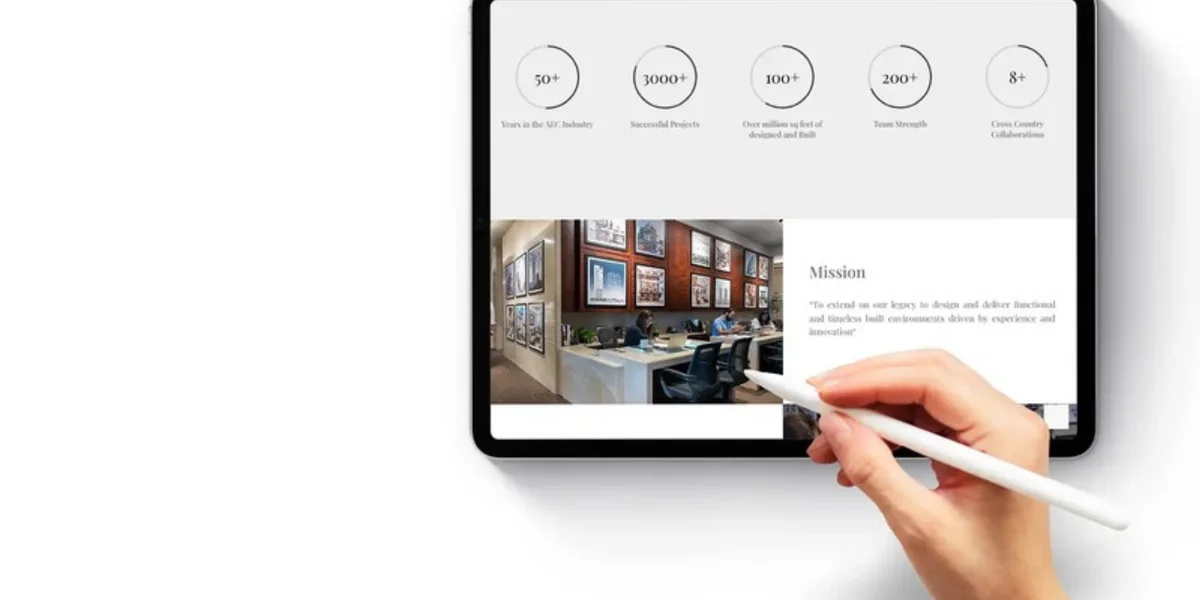
A site needs small, regular care after launch: updates, backups and checks. An hour or two a month keeps most small sites healthy.
What Monthly Upkeep Looks Like
- Update the platform, theme and plugins on staging, check nothing broke, then update the live site.
- Confirm last night’s backup exists and actually opens.
- Send every form and place one test order.
- Look at the mobile speed numbers and fix whatever slipped.
- Check Search Console for errors and broken pages.
- Note which pages bring visitors and which bring enquiries. They’re often not the same pages.
Where Websites Are Heading
More people now ask AI assistants, or read AI-written answers at the top of search results, instead of clicking through ten links. Those tools lean on pages that are clearly structured, quick to load and plainly written, so real headings, honest FAQs and accurate business details give them something worth quoting.
Most sites also need a proper rebuild every few years. Clean code on a common platform makes that next version an upgrade instead of a rescue. Once the site is stable, the work moves to bringing the right people to it, which is where digital marketing picks up.
FAQs: After Launch
What does a website maintenance plan usually include?
Updates, backups, security monitoring, uptime checks and a set number of hours for small changes. Read what’s left out just as carefully as what’s in.
How often should WordPress plugins be updated?
Security fixes as soon as they’re released, everything else monthly after a test on staging. A plugin its makers haven’t updated in a year should be replaced.
When does a website need a full redesign rather than an update?
When the brand has changed, when the platform can’t do what the business now needs, or when the site is so slow and patched that fixing it costs more than starting again.
Can Brij Design Studio help market a website after it goes live?
Yes. Alongside website design it offers digital marketing, so the same studio that planned the site can work on bringing visitors to it.
Why Choose Brij Design Studio for Website Development?
Brij Design Studio is a design studio in Mumbai working across branding, packaging design, website design and digital marketing. Its website work covers WordPress sites, ecommerce sites and product pages, responsive layouts and HTML coding, with Google Analytics set up so owners can see how visitors behave. The website design page shows sites it has built for ecommerce, architecture, healthcare, catalogue and furniture businesses.
Projects start with a carefully planned sitemap and follow three ideas the studio calls creative, UI driven and UX driven. Its case studies show how it handles brand launches and rebrands, and owners can start a conversation through its Mumbai studio page.
Conclusion
Website development isn’t the glamorous half of a website. Nobody posts a screenshot of a backup schedule on Instagram. But it’s the half that decides whether the site still loads, still takes payments and still belongs to the business five years from now.
Choose the platform for the job the site actually does. Keep every login in the company’s name. Brief the developer in writing, test on real phones, and give one person the job of looking after the site each month. The look will change over the years. The foundations shouldn’t have to.
Anyone can admire a website. Somebody has to look after the plumbing.
Common FAQs About Website Development
What programming languages are used in website development?
HTML for structure, CSS for styling and JavaScript for interactive parts, plus a server-side language such as PHP (which WordPress uses), Python or Node.js.
Is website development a one-person job?
For a small site, sometimes. Bigger projects usually need a designer, a developer, a content writer and a tester, even if some of those roles are part-time.
Can I build a business website with AI tools?
AI tools can draft layouts, text and even code very quickly, and they’re handy for trying ideas out. A business site still needs a person to check the code, security, speed and facts before it goes live.
What is a CMS in website development?
A content management system: software that lets non-technical staff edit pages, posts and products without touching code. WordPress is the best-known example.
Do I need a separate mobile website?
No. One responsive site that adjusts to every screen size is the standard now. Separate mobile sites are harder to keep up to date.
What is the difference between a static and a dynamic website?
A static site shows the same fixed pages to everyone, which keeps it fast and simple. A dynamic site builds pages from a database as they’re requested, which stores, blogs and member logins need.
What is UAT in website development?
User acceptance testing. The owner’s team uses the finished site the way real customers would and signs off that it works as agreed, before it goes live.
How can I check whether my website is secure?
Look for https in the address bar, find out when the platform and plugins were last updated, confirm backups exist, and run a malware scan. If nobody can answer those questions, that’s the answer.
What website work does Brij Design Studio showcase?
Its website design page shows sites built for ecommerce, architecture, healthcare, catalogue and furniture businesses. Its case study page covers brand launches and rebrands.
How does a business start a website project with Brij Design Studio?
Through the contact details on its Mumbai studio page. Sharing goals, the audience, existing brand files and any current website logins makes the first conversation far more useful.


